
Translate Text from Images and Photos Online
Upload a photo, extract its visible text with OCR, and translate it into your chosen language. Compare both versions before you copy or save anything.
Translate your image
Upload one image and keep the OCR source beside the translated text for a direct comparison.
Free to use. No account required.
Translation
Correct OCR mistakes in the source panel before translating again.
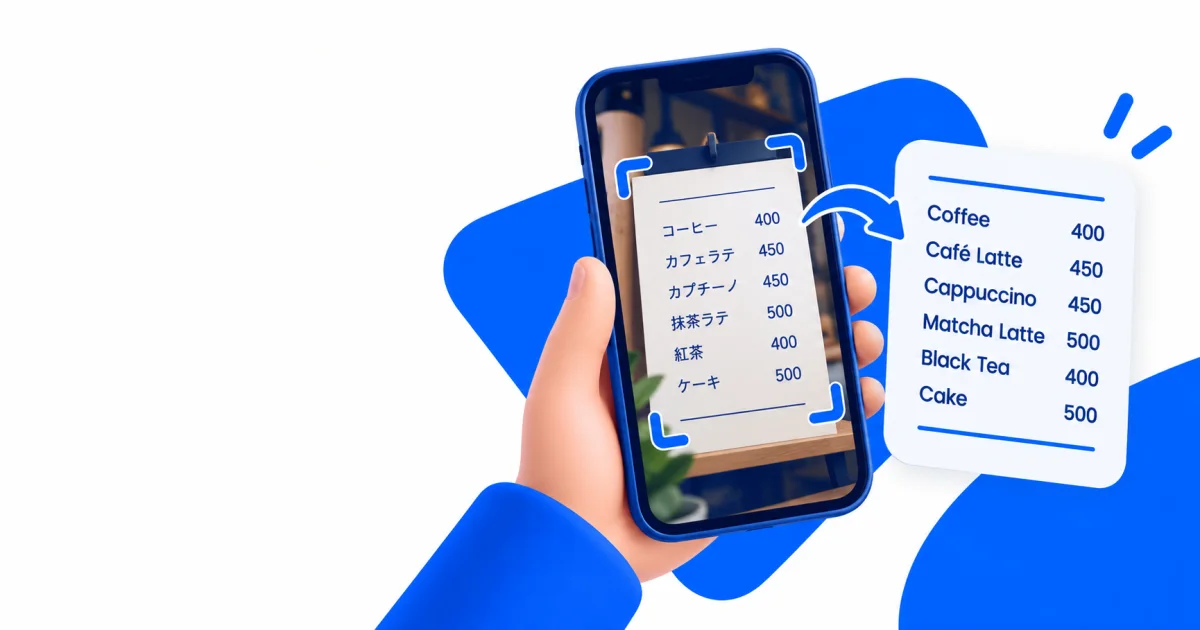
Source text includedNo account requiredReviewable translation
Choose the path that matches your image
Different objects lose meaning in different ways. Start with the practical workflow, then use the translator.
Translate a menu
Keep dish names, modifiers, prices, and allergen questions connected.
Understand a sign
Preserve arrows, hours, place names, and the surrounding context.
Read a screenshot
Protect private details and reconstruct message or interface order.
Translate a table
Keep values attached to row labels, headers, units, and footnotes.
Check image quality
Inspect dimensions, contrast, and a blur heuristic locally in your browser.
Handle a sensitive document
Decide whether an online workflow is appropriate before uploading.
How to translate text from a photo
Upload a clear image, choose the output language, inspect the extracted source text, then compare the translation with the original before using it.
- Choose a readable image. Use the original JPG, PNG, WebP, BMP, or TIFF file and crop unrelated content.
- Select the target language. The selection controls the translated output, while OCR handles the source first.
- Inspect the OCR text. Compare names, numbers, prices, units, warnings, and line order with the image.
- Review the translation. Keep uncertainty visible and use a qualified person when an error could affect rights, health, safety, identity, or money.
Readable source text
OCR output is shown first, so a misread price or name does not disappear behind fluent translation.
Faithful text translation
The translator is instructed to preserve names, numbers, prices, units, uncertainty, and line breaks without adding facts.
Optional account storage
Sign in with Google only if you want a file history of up to 30 days. Guest use does not require registration.
Know exactly what the image translator returns
The service produces reviewable text, not a rebuilt image. That narrower output makes OCR errors easier to find and correct before you use the translation.
| Capability | What you receive | What still needs review |
|---|---|---|
| OCR extraction | Editable source text that you can correct, copy, or download | Names, numbers, symbols, line order, and text missed by OCR |
| Text translation | A separate translation in one of 38 target-language choices | Meaning that depends on context, tone, dialect, or unclear source text |
| Image output | The original preview stays available while you compare the text | Replacing text in the picture, matching fonts, and rebuilding the layout |
| High-impact use | A draft for general understanding | Certification or qualified human review when a mistake can cause harm |
For an image that must keep its design, use the guide to preserve layout during image translation after the source text and translation have been checked.
What happens to an uploaded photo
The image and extracted text move through separate processing stages. Review the path below before deciding whether the material is suitable for an online workflow.
| Stage | Data used | Purpose |
|---|---|---|
| Image preparation | Your uploaded image | The server corrects orientation, limits size, and prepares a clean JPEG for OCR. |
| Text recognition | The prepared image | OCR returns the visible source text it can recognize. |
| Text translation | Extracted text and your selected target language | The reviewed source text is translated into the selected language. |
| Optional file history | Image, source text, translation, and basic file details | Signed-in users can keep results for up to 30 days. Guest use does not add a result to account storage. |
Do not upload passwords, private keys, confidential work, or identity records just because the tool is convenient. Read the image translation privacy policy and use the translation risk checklist when the material is sensitive.
Learn to trust the result
Original guidance for the decisions that happen before and after translation.
How Image Translation Works
Image translation is a two-stage process: first recover the visible text, then translate its meaning. Knowing where each stage can fail makes the final result much easier to trust.
Improve Photo Translation Accuracy
A better source image usually improves results more than changing translation settings. This checklist focuses on changes you can verify before uploading.
How to Translate a Menu from a Photo
Menu translation is not only about dish names. Prices, portion notes, optional extras, allergens, and cooking methods often carry the information needed to order safely.
How to Translate Text in a Screenshot
Screenshots are usually sharper than camera photos, but chat layouts, overlays, captions, and multiple columns can still produce the wrong reading order.
Explore the image translation library
Nine useful pages are selected each day. The rotation moves through every indexable guide, answer, tool, method, and policy within seven days.
Which image format is best for OCR?
Use this answer to choose an image format without mistaking conversion for quality.
Translate Multi-Page Documents from Photos
Plan a page-by-page photo translation workflow with stable file order, repeated headers, cross-page sentences, and quality checks.
Image Translation Editorial Policy
See how sources, automation, authorship, corrections, and publication decisions are handled.
Translate a Confidential Work Document Safely
Use a risk-based workflow for contracts, internal slides, customer records, source code screenshots, and other workplace material.
Is it safe to upload a private photo for translation?
Use this answer to choose an upload route based on visible data risk.
Translation Text Expansion Estimator
Estimate a planning range for translated text length and identify layout risks before replacing text in an image or document.
When do I need a human translator for an image?
Use this answer to decide when consequence or acceptance requires a human translator.
How to Translate Study Notes from a Photo
Translate photographed study notes while preserving headings, formulas, citations, diagrams, page order, and uncertain handwritten text.
Can Image Translation Preserve the Original Layout?
Understand which parts of a photo layout OCR can retain, why translated text changes length, and when document reconstruction is required.
Image translation questions, answered
These answers define the free workflow, file limits, correction step, and output before you upload a photo.
Is the image translator free without an account?
Yes. Guests can extract and translate text without creating an account. Google sign-in is optional and is only needed for a 30-day file history.
Read about free image translationCan I correct the extracted text before translating it again?
Yes. Edit the OCR text in the source panel, then choose Translate edited text. This helps stop a misread name, number, or symbol from carrying into the next translation.
Which image files can I upload?
The translator accepts JPG, PNG, WebP, BMP, and TIFF images up to 12 MB. Clear, tightly cropped source images usually give OCR a better chance of reading the text correctly.
Compare OCR image formatsDoes the tool replace text inside the original image?
No. It returns editable source text and a separate translation for review. It does not recreate the original layout, font, or artwork, so design reconstruction remains a separate task.
Plan the layout workflowUse it for everyday text, not blind certainty
Translate menus, signs, labels, screenshots, notices, and study material with the AI image translator. Crop the image to the text you need and keep headings in frame when they clarify meaning.
Do not rely on automated translation alone for legal rights, medical instructions, allergies, financial decisions, immigration documents, or safety warnings. Use the photo translation privacy checklist before sharing sensitive material, and ask a qualified human when the stakes are high.