Photo Translation Workflows for Everyday Images

Use context-specific photo translation methods for menus, signs, screenshots, forms, product labels, study notes, and practical travel decisions.

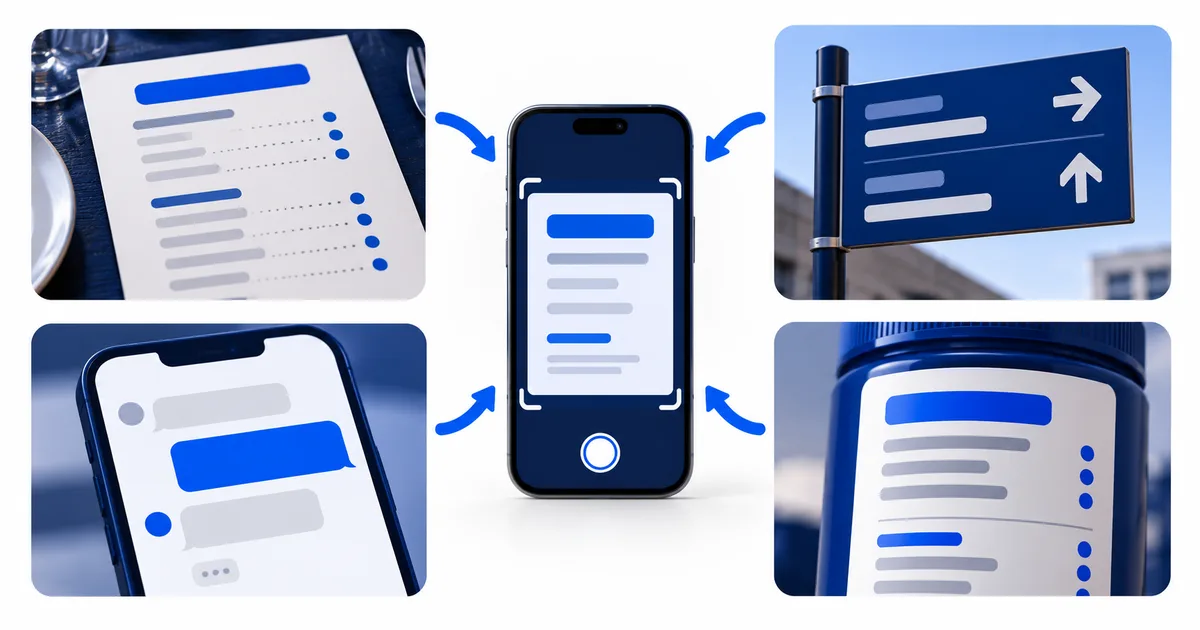
A phone scanning menu, sign, message, and product label images

Real-world workflows guides

Match the guide to the object in front of you. Each workflow identifies the context clues, factual fields, and safety decisions that matter for that specific object.

How to Translate a Menu from a Photo

Menu translation is not only about dish names. Prices, portion notes, optional extras, allergens, and cooking methods often carry the information needed to order safely.

Preserve headings, price alignment, and original dish names, then verify dietary questions with staff.

How to Translate Text in a Screenshot

Screenshots are usually sharper than camera photos, but chat layouts, overlays, captions, and multiple columns can still produce the wrong reading order.

Screenshots are clear sources, but privacy and reading order need deliberate review.

How to Translate a Product Label Photo

Packaging combines marketing copy with facts that require exact transcription. Curved surfaces, small print, and multiple panels make one wide photo a poor source.

Photograph packaging panel by panel and verify factual fields against an official source when safety is involved.

How to Translate a Sign from a Photo

A sign is a visual instruction. Its arrow, color, location, and neighboring panel can matter as much as the sentence recovered by OCR.

Pair a context photo with a close text crop so instructions stay connected to place and direction.

How to Translate Study Notes from a Photo

Study notes mix explanation with shorthand. A useful translation must keep the learner's structure and avoid turning an uncertain symbol into a confident fact.

Preserve notation and page structure, then use the translation beside the source as a study aid.

Real-world workflows decisions

The right workflow depends on the object. A menu needs price alignment, a sign needs location context, a product label needs exact units, and a private message needs deliberate redaction.

  1. Identify the decision the translation will support.
  2. Capture headings, symbols, and nearby labels that resolve meaning.
  3. Separate descriptive language from high-impact facts.
  4. Escalate allergies, safety warnings, rights, or medical instructions to a qualified person.

The decision changes what the photo must retain

A useful crop includes the information needed for the next decision, not simply the largest block of text. A traveler reading a station sign needs the arrow, platform or exit name, operating hours, and any exception attached to the instruction. A diner needs each dish name connected to its description, price, option, and allergen note. A product owner may need the panel heading, quantity, date label, warning symbol, and model code in one record.

Menu

Keep the dish name, modifiers, price, serving note, and allergen wording together. Do not infer ingredients or safety from a dish name alone.

Public sign

Keep the instruction, arrow, symbol, location, hours, and exception together. An isolated arrow does not prove which place it identifies.

Screenshot

Preserve the speaker or interface label, message order, time, and control being described. Do not infer tone or identity after required context is removed.

Product label

Keep the panel heading, value, unit, warning, directions, and manufacturer reference together. Do not invent suitability, dosage, or compatibility.

Use paired views when context and detail compete

Take one context view that shows where the text sits and one close view that makes every important character readable. Label the two views so they cannot be mistaken for different objects. A whole sign plus a close crop preserves both place and wording. A full menu page plus panel crops keeps prices and footnotes attached. For a curved package, use overlapping panel photographs rather than forcing the complete label into one distorted image.

Screenshots are different because they already preserve sharp screen pixels. Their main risk is unnecessary disclosure. Crop notifications, account names, avatars, location details, and unrelated messages, while retaining the labels needed to understand the visible action. The screenshot translation workflow shows how to preserve order without exposing the entire screen.

Know when orientation is not enough

A quick machine translation may be suitable for ordinary orientation, such as understanding the broad purpose of a public notice. Stop and seek an authoritative source or qualified reviewer when the result affects an allergy, dosage, legal right, financial commitment, official deadline, safety instruction, or identity record. Better capture improves the evidence, but it does not give an automated result professional authority.

Keep the source image and corrected OCR text with any action you take. If the decision later needs review, those records show whether the issue came from the image, character recognition, translation, or missing context.

Put the Real-world workflows checks into practice

Keep headings, symbols, prices, and nearby labels inside the crop when they explain meaning. Remove unrelated private details before sending the image for recognition.

Translate a prepared image